


One Key: password manager
Category : ToolsVersion: 5.5.5
Size:21.60MOS : Android 5.1 or later
Developer:GByte
 Download
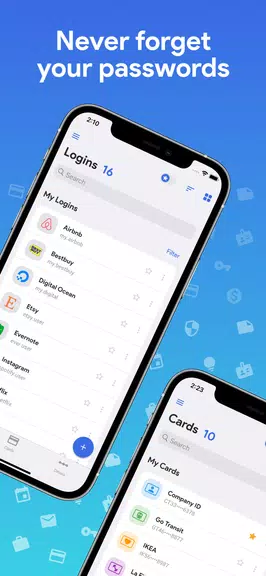
 Struggling to remember passwords or concerned about online storage risks? Meet One Key: your go-to password manager app! Featuring AES-256 bit encryption, all your passwords are stored securely offline with just one master password. No internet connection needed, zero ads, and a sleek dark theme for easy viewing. From generating OTP codes to safeguarding credit card details, this app provides everything required to protect your data. Enjoy auto-fill, password strength analysis, and backup/restore options—simplifying password management like never before. Eliminate password worries and welcome total peace of mind with this all-in-one password manager solution.
Key Features of One Key: Password Manager
Secure Encryption: Passwords are protected using advanced AES-256 bit encryption, guaranteeing top-level security for your sensitive information.
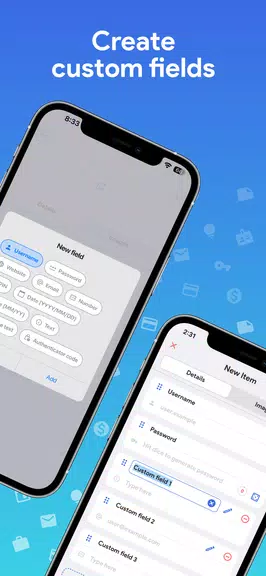
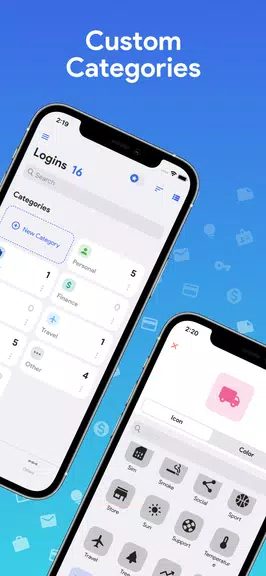
Custom Categories: Effortlessly organize passwords and details using personalized categories and fields for easy access and efficient data management.
Offline Access: Operate entirely offline, ensuring your information remains securely stored on your device at all times.
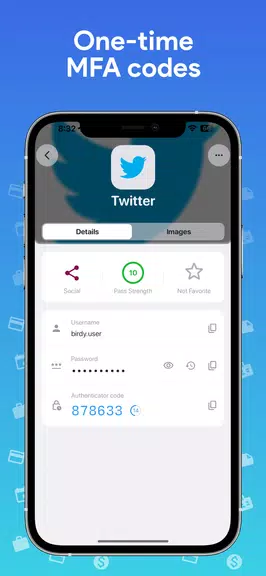
OTP/MFA Code Generation: Create one-time passwords or multi-factor authentication codes directly in the app for an extra security layer.
Dark Theme: Personalize the app’s interface with an elegant dark theme for a more visually pleasing and comfortable experience.
Export/Import & Backup/Restore: Seamlessly export or import data in CSV format, and backup or restore encrypted information to avoid data loss.
Helpful User Tips:
Set a Strong Master Password: Use a powerful, unique master password to protect access to all your encrypted data.
Leverage the Password Generator: Generate strong, complex passwords using the built-in tool to boost account security.
Enable Auto-Lock: Turn on auto-lock so the app automatically locks when your screen turns off, adding an extra security step.
Customize Categories: Sort passwords into custom categories and fields for quick and easy organization.
Use OTP/MFA Codes: Produce one-time passwords or multi-factor authentication codes inside the app for safer logins.
Final Thoughts:
One Key: Password Manager offers a complete, secure way to store and manage passwords and sensitive details offline. Thanks to powerful encryption, customized categories, OTP/MFA code generation, and other helpful features, your data stays protected at the highest level. Download One Key today to enjoy the simplicity and confidence of having all passwords in one secure location.





- Nominations are now open for the 12th Pocket Gamer Awards 2 weeks ago
- Hero Games Will Drop Open-World Survival Action Game CrisisX Soon! 2 weeks ago
- Disney Dreamlight Valley\'s newest update for the start of next month will feature Pocahontas 2 weeks ago
- Yasha: Demon Blade Release Date Announced 2 weeks ago
- Pedro Pascal Calls JK Rowling a 'Heinous Loser' for Anti-Trans Rhetoric 2 weeks ago
- Activision Says It’s Working With Nintendo to Get Call of Duty on Switch, but Will Black Ops 7 Be on Switch 2? 2 weeks ago
-

Productivity / 2.7.5 / by Dickensheet & Associates, Inc. / 50.40M
Download -

Photography / 1.1.4.0 / by Face play Photo Editor & Maker / 123.69M
Download -

Communication / 2.0.0.24 / 59.72M
Download -

Tools / 1.6.0 / by Country VPN LLC / 67.71M
Download -

Personalization / 3.420.0 / 10.35M
Download -

Communication / 1.0 / 5.29M
Download

-
 Deltarune Chapters 3 & 4: Save Files Compatible with Predecessors
-
 "GTA 6: Ultimate Guide - Release, Gameplay, Story - Feb 2025"
-
 NBA 2K25 Unveils Updates for 2025 Season
-
 Unlock Secret Debugging Tools: Access Balatro's Hidden Cheats
-
 Goat Simulator 3 Unleashes Ultimate Customization with Shadowy Update
-
 Uncharted Waters Origins adds new relationship chronicle with Safiye Sultan in July update