


 Download
 Update Bring Digital Key Software to the Latest Version
Updating Instructions:
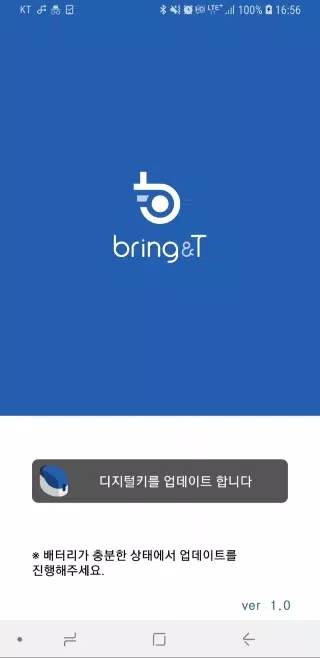
- Launch the Bring& T Update application on your device
- Tap "Update Digital Key" at the bottom of the screen
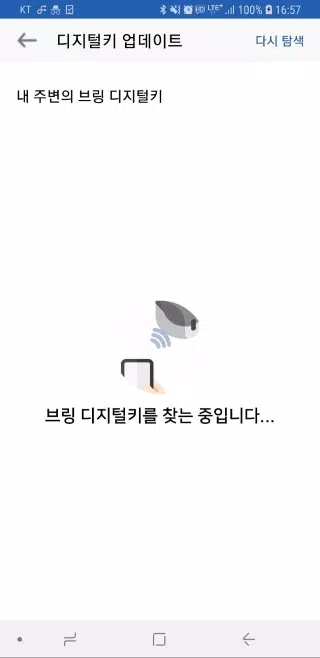
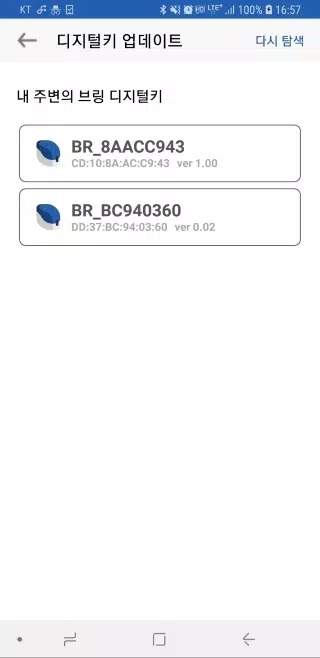
- Choose your digital key "BR_xxxxxxxx" from the displayed list
If key isn't visible, select [Search Again] to refresh the list - View current and available update versions when key is selected
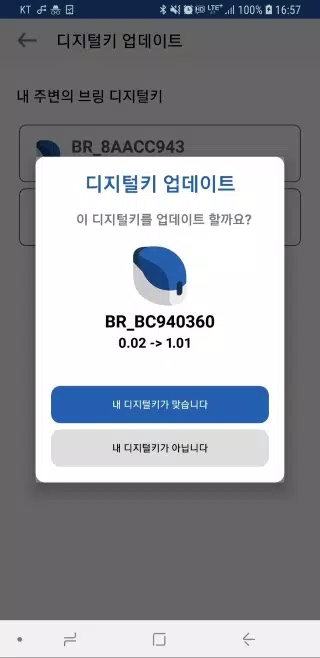
- Confirm with "Your Device is Correct" - digital key LED will flash purple for 10 seconds
Press the key's button briefly (0.5 seconds) during this time - Update initiates when LED changes from purple to solid blue
- Tap "Close" when update completes
Important Notes:
- Maintain proximity between key and device during wireless update
- Updates cannot be interrupted once started (duration: 2-3 minutes)
- Ensure sufficient battery power before beginning update
- Restart app if update fails or encounters errors
- Software updates require prior key registration





- Disney Dreamlight Valley sets a date for major showcase stream with huge new features 1 weeks ago
- Windrider Origins Raid Dungeon Guide – Tips for Winning Every Raid Battle 1 weeks ago
- Contexto 1335 Answer & Hints (May 15 2026) - Try Hard Guides 2 weeks ago
- Island Adventure: Monster Hunter Meets Hello Kitty's Cinnamoroll 2 weeks ago
- Football Manager comes roaring back with the announcement of Football Manager 26 2 weeks ago
- How to Unlock Dynasty Warriors: Origins Horse 2 weeks ago
-

Productivity / 2.7.5 / by Dickensheet & Associates, Inc. / 50.40M
Download -

Photography / 1.1.4.0 / by Face play Photo Editor & Maker / 123.69M
Download -

Communication / 2.0.0.24 / 59.72M
Download -

Tools / 1.6.0 / by Country VPN LLC / 67.71M
Download -

Personalization / 3.420.0 / 10.35M
Download


-
 Deltarune Chapters 3 & 4: Save Files Compatible with Predecessors
-
 "GTA 6: Ultimate Guide - Release, Gameplay, Story - Feb 2025"
-
 NBA 2K25 Unveils Updates for 2025 Season
-
 Unlock Secret Debugging Tools: Access Balatro's Hidden Cheats
-
 Goat Simulator 3 Unleashes Ultimate Customization with Shadowy Update
-
 New York Times Strands Hints and Answers for December 25, 2024