Maison >  Applications >  Conception d'art >  Graphic Design & Logo Maker
Graphic Design & Logo Maker

Graphic Design & Logo Maker

Catégorie : Conception d'artVersion: 1.1.118

Taille:6.7 MBSystème d'exploitation : Android 5.0+

Promoteur:Logician Studio

3.6
Télécharger
Description de l'application

Here's a polished, professional, and marketing-optimized version of your original content — perfect for use on your app store listing, website, or promotional materials. The tone is engaging, clear, and designed to convert users while highlighting all key features and updates.


🎨 Design Studio – The Ultimate Free Poster, Flyer, Invitation & Logo Maker App

Create stunning logos, posters, flyers, invitations, YouTube thumbnails, social media stories, cover photos, profile pics, and more — all in one powerful, free design app.

Whether you're a small business owner, content creator, event planner, student, or just love designing — Design Studio is your all-in-one creative companion. No experience needed. Just create with confidence.


✨ Why Everyone Loves Design Studio

The Best Free Logo Maker App
Design a unique brand identity in seconds. Create professional logos, visiting cards, letterheads, trademarks, and product name visuals with ease.

The #1 Free Poster & Flyer Maker
Make eye-catching promotional posters and flyers for events, campaigns, or social media. Use pre-designed templates or build from scratch.

The Ultimate Invitation Maker (RSVP Studio)
Celebrate life’s big moments in style. Design beautiful birthday cards, wedding invites, engagement announcements, graduation greetings, anniversary cards, and more — all free.

YouTube Thumbnail Creator Pro
Stand out in crowded feeds. Craft bold, click-worthy thumbnails for YouTube videos, vlogs, and blog content — with smart layouts and dynamic visuals.

Social Media Poster & Story Designer
Create stunning Instagram Stories, Facebook posts, Pinterest pins, and TikTok content. Choose from 3,000+ ready-made templates optimized for every platform.

Text Art Studio & Quote Maker
Turn quotes into art. Add inspirational messages to photos with thousands of fonts, gradients, textures, and effects. Boost engagement with creative, shareable posts.

Lightweight, Fast & 100% Free
No hidden costs. No watermarks. No clutter. Just powerful tools, smooth performance, and endless creativity.


🌟 What’s New in Version 1.1.118 (Nov 8, 2023)

The most exciting update yet — all premium features unlocked for FREE!

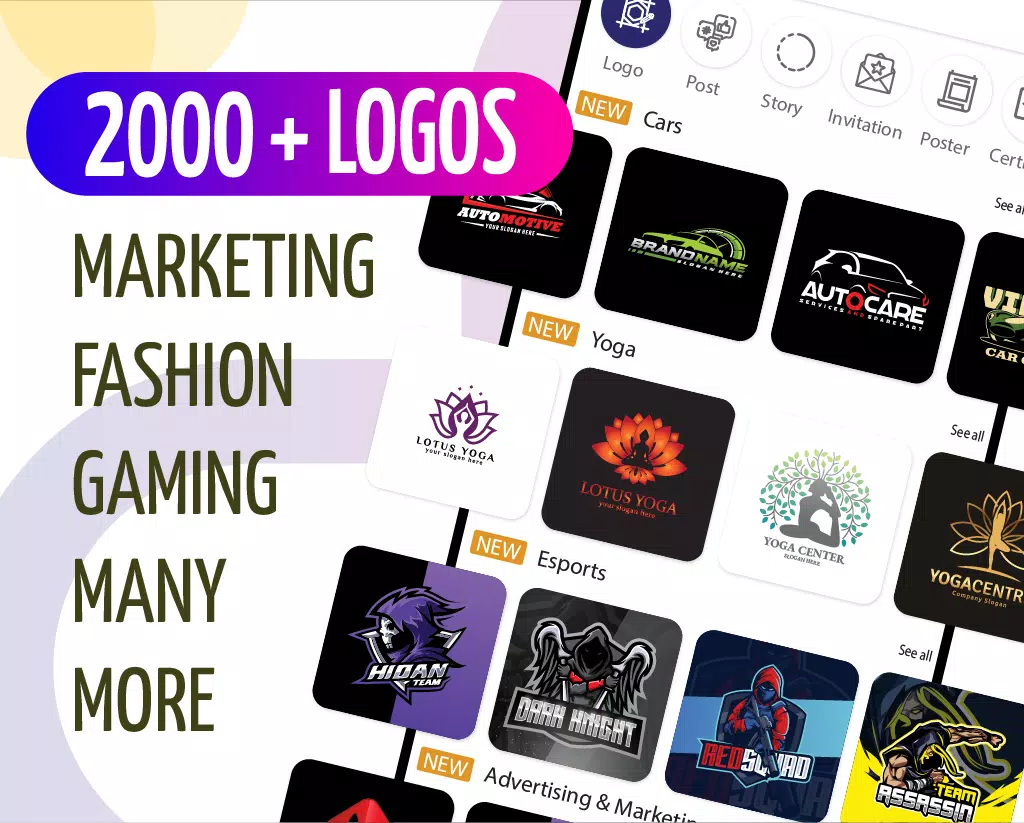
🔥 Unlock 2,000+ New Logo Templates
From modern minimalism to bold branding — find the perfect fit for your brand.

🔥 Add 3,000+ New Templates
New designs for Instagram Stories, social media posts, invitations, banners, and more — all updated for 2024.

🔥 No More Watermarks – Ever!
Download and share your designs in HD — completely watermark-free.

🔥 Faster Speed & Smoother UX
Optimized performance across all devices. Design faster, think clearer.

🔥 Improved Template Quality
Higher-resolution graphics, cleaner layouts, and better design consistency.

🔥 New Free Image Library (Unsplash + Pexels)
Search millions of royalty-free photos and backgrounds — right inside the app.


🛠️ Powerful Features, Effortless Design

  • Drag-and-Drop Editor – Simple, intuitive, beginner-friendly
  • Millions of Free Templates – For every purpose and platform
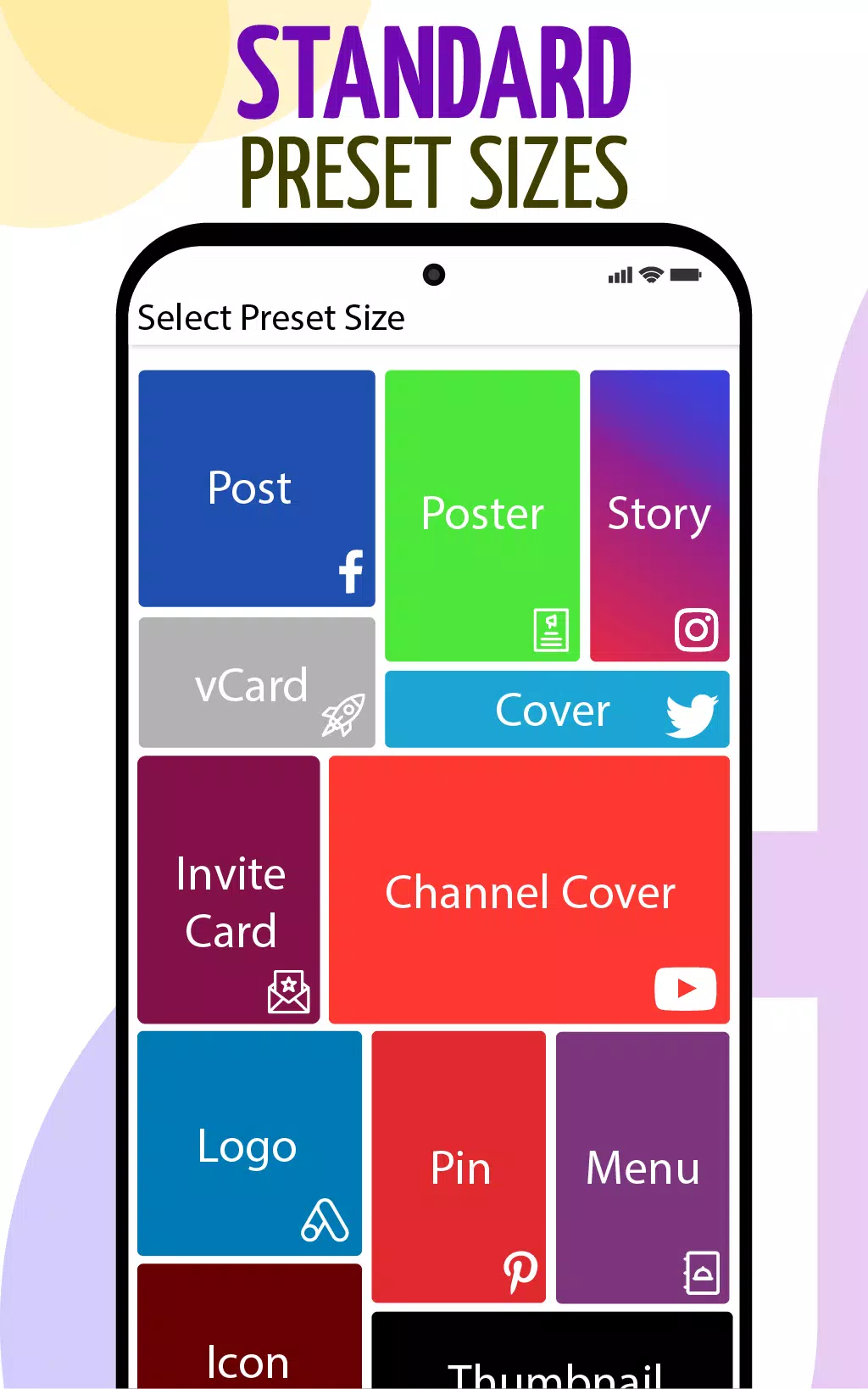
  • Custom Canvas Sizes – Fit any social media or print need
  • Text Art Studio – Use 100+ fonts, colors, gradients, and layer effects
  • Background Editor – Replace with your own photos or free image library
  • Auto-Save Drafts – Never lose your work
  • Export & Share Instantly – Save to gallery, SD card, or share directly on WhatsApp, Instagram, Facebook, and more
  • No Design Skills Required – Perfect for new creators and pros alike

🎯 Designed for Everyone

  • 🏢 Small business owners
  • 📱 Social media influencers & content creators
  • 🎓 Students & teachers
  • 🎉 Event planners & wedding coordinators
  • 🎤 YouTubers & vloggers
  • 🎨 Artists and designers

No matter your goal, Design Studio makes creativity simple, fast, and fun.


📣 We Love Feedback!

Your experience matters to us.
If you enjoy Design Studio, please rate us 5 stars — it helps us keep improving and bring you more amazing features.

👉 Thank you for being part of the Design Studio family.
Let’s create something amazing together.


🚀 Download Now – It’s 100% Free!

Start designing today. No trial. No ads. No limits.

Design Studio – The Best Free Poster, Flyer, Invitation, Thumbnail & Logo Maker App
Your creativity. Your way.


Let me know if you’d like:

  • A shorter version for app store descriptions
  • Social media captions
  • Email marketing templates
  • Google Play / App Store SEO keywords
  • Animated video script for promo

Stay creative! 🎨✨

Graphic Design & Logo Maker Capture d'écran 0
Graphic Design & Logo Maker Capture d'écran 1
Graphic Design & Logo Maker Capture d'écran 2
Graphic Design & Logo Maker Capture d'écran 3
Dernières nouvelles
As of now, Borderlands 4 has not been officially announced, so there is no confirmed information about its gameplay mechanics, design choices, or whether it will ditch loading screens in favor of a seamless open world. However, we can speculate based on industry trends and the evolution of the Borderlands series.
That said, if Borderlands 4 were to adopt a seamless open world and eliminate traditional loading screens—something that would be a major shift from earlier entries in the franchise—it would likely be driven by several key factors:
Why a Seamless Open World Could Be a Game-Changer:


Modern Engine Capabilities: With the use of advanced engines like Unreal Engine 5 (which powers Borderlands 3), developers have the tools to create vast, seamless environments using features like Nanite and Lumen for real-time rendering and dynamic lighting.


Player Demand for Immersion: Fans increasingly expect seamless transitions between areas, as seen in games like The Witcher 3, Red Dead Redemption 2, and Horizon Forbidden West. Removing loading screens enhances immersion and pacing.


Technology Integration: Techniques such as dynamic streaming, in-memory asset management, and procedural content loading allow for large, continuous worlds without visible load times—even on console hardware.


Series Evolution: While Borderlands has traditionally used hub-based level design with loading screens, the franchise has already moved toward more open and interconnected areas in Borderlands 3. A full seamless world would represent a logical progression.


Challenges to Overcome:

Performance & Optimization: Maintaining high frame rates and consistent draw distances across a seamless world is technically demanding, especially for a game with heavy particle effects, loot systems, and chaotic combat.
Loot & Progression Systems: The Borderlands formula relies on structured zones and checkpoints. A seamless world would need to rework how loot drops, enemy spawns, and mission triggers are handled to avoid gameplay disruption.
Narrative Structure: Without loading screens, narrative beats and cutscenes must be carefully integrated into the world to avoid breaking immersion.

The Likely Path Forward:
If Borderlands 4 does abandon loading screens, it would probably:

Use persistent, interconnected zones with no hard boundaries.
Implement on-the-fly asset streaming to keep memory and load times low.
Introduce dynamic world events and procedural encounters to maintain replayability.
Keep the series’ signature over-the-top humor and loot-driven gameplay, but with a more fluid, open-world feel.

Conclusion:
While Borderlands 4 remains speculative, the idea of ditching loading screens for a seamless open world is plausible—and could be a bold step forward for the franchise. It would represent a fusion of Borderlands’ chaotic fun with the expansive freedom of modern open-world design. But until 2K or Gearbox Studios officially confirm anything, it remains a well-informed fan prediction rather than fact.
Stay tuned for official announcements—when they come, they’ll likely reshape the series forever. 🎮✨

As of now, Borderlands 4 has not been officially announced, so there is no confirmed information about its gameplay mechanics, design choices, or whether it will ditch loading screens in favor of a seamless open world. However, we can speculate based on industry trends and the evolution of the Borderlands series. That said, if Borderlands 4 were to adopt a seamless open world and eliminate traditional loading screens—something that would be a major shift from earlier entries in the franchise—it would likely be driven by several key factors: Why a Seamless Open World Could Be a Game-Changer: Modern Engine Capabilities: With the use of advanced engines like Unreal Engine 5 (which powers Borderlands 3), developers have the tools to create vast, seamless environments using features like Nanite and Lumen for real-time rendering and dynamic lighting. Player Demand for Immersion: Fans increasingly expect seamless transitions between areas, as seen in games like The Witcher 3, Red Dead Redemption 2, and Horizon Forbidden West. Removing loading screens enhances immersion and pacing. Technology Integration: Techniques such as dynamic streaming, in-memory asset management, and procedural content loading allow for large, continuous worlds without visible load times—even on console hardware. Series Evolution: While Borderlands has traditionally used hub-based level design with loading screens, the franchise has already moved toward more open and interconnected areas in Borderlands 3. A full seamless world would represent a logical progression. Challenges to Overcome: Performance & Optimization: Maintaining high frame rates and consistent draw distances across a seamless world is technically demanding, especially for a game with heavy particle effects, loot systems, and chaotic combat. Loot & Progression Systems: The Borderlands formula relies on structured zones and checkpoints. A seamless world would need to rework how loot drops, enemy spawns, and mission triggers are handled to avoid gameplay disruption. Narrative Structure: Without loading screens, narrative beats and cutscenes must be carefully integrated into the world to avoid breaking immersion. The Likely Path Forward: If Borderlands 4 does abandon loading screens, it would probably: Use persistent, interconnected zones with no hard boundaries. Implement on-the-fly asset streaming to keep memory and load times low. Introduce dynamic world events and procedural encounters to maintain replayability. Keep the series’ signature over-the-top humor and loot-driven gameplay, but with a more fluid, open-world feel. Conclusion: While Borderlands 4 remains speculative, the idea of ditching loading screens for a seamless open world is plausible—and could be a bold step forward for the franchise. It would represent a fusion of Borderlands’ chaotic fun with the expansive freedom of modern open-world design. But until 2K or Gearbox Studios officially confirm anything, it remains a well-informed fan prediction rather than fact. Stay tuned for official announcements—when they come, they’ll likely reshape the series forever. 🎮✨

Age of Empires: Survival – Essential Starter Tips
Age of Empires: Survival (often referred to as Age of Empires: Mobile or part of the Age of Empires series on mobile devices) is a fast-paced, strategy-based game that blends real-time tactics with base-building and resource management. Whether you're new to the series or diving into the mobile version for the first time, these essential starter tips will help you get off to a strong beginning and avoid common pitfalls.

🛠️ 1. Master the Basics of Resource Gathering

Wood, Food, Gold, Stone: These are your foundation.
Wood: Gather early for tools, walls, and buildings.
Food: Use to feed your villagers and train units.
Gold & Stone: Essential for upgrades and advanced structures.


Prioritize:
Start with wood and food.
Don’t neglect gold and stone early — they become critical in mid-game.


💡 Pro Tip: Assign 2–3 villagers to gather resources immediately and keep one free to build.

🏗️ 2. Build a Balanced Base Layout

Start small, expand smart.
Place your Town Center near a cluster of trees and food sources (like deer or fish).
Build your Barracks, Lumber Camp, and Farm close to your Town Center for efficiency.
Avoid overcrowding — leave space for expansion and defenses.

🔧 Pro Tip: Use the

Age of Empires: Survival – Essential Starter Tips Age of Empires: Survival (often referred to as Age of Empires: Mobile or part of the Age of Empires series on mobile devices) is a fast-paced, strategy-based game that blends real-time tactics with base-building and resource management. Whether you're new to the series or diving into the mobile version for the first time, these essential starter tips will help you get off to a strong beginning and avoid common pitfalls. 🛠️ 1. Master the Basics of Resource Gathering Wood, Food, Gold, Stone: These are your foundation. Wood: Gather early for tools, walls, and buildings. Food: Use to feed your villagers and train units. Gold & Stone: Essential for upgrades and advanced structures. Prioritize: Start with wood and food. Don’t neglect gold and stone early — they become critical in mid-game. 💡 Pro Tip: Assign 2–3 villagers to gather resources immediately and keep one free to build. 🏗️ 2. Build a Balanced Base Layout Start small, expand smart. Place your Town Center near a cluster of trees and food sources (like deer or fish). Build your Barracks, Lumber Camp, and Farm close to your Town Center for efficiency. Avoid overcrowding — leave space for expansion and defenses. 🔧 Pro Tip: Use the "Auto-assign" feature for villagers so they automatically pick up and deliver resources. 🪓 3. Expand Early and Often Don’t wait until you’re strong to expand. Build 1–2 additional Town Centers as soon as possible to double your resource output. Expanding too late means you’ll fall behind in tech and army size. 🔥 Pro Tip: Use "Tribal" or "Village" expansion to unlock faster progression. ⚔️ 4. Balance Economy and Military New players often over-invest in units too early. Phase 1 (Village Age): Focus on base development and resource gathering. Phase 2 (Feudal Age): Start training basic units (e.g., Spearman, Archer) to defend. Always keep a small defensive army — even if you’re not attacking. 🛡️ Pro Tip: Have at least 2–3 archers and 1–2 melee units ready for any threat. 🧠 5. Learn the Unit Roles Melee units (Spearman, Swordsman): Strong against other melee units. Ranged units (Archer, Ballista): Effective at long range but vulnerable up close. Cavalry units (Knight, Horseman): Fast and powerful but expensive. 🔁 Use unit composition — mix ranged and melee for balanced attacks. 🛡️ 6. Defend Your Town Center Your Town Center is your lifeline — losing it can cost you the game. Build Walls, Towers, and Palisades as soon as you can. Set up archers on walls to defend your base. 🛡️ Pro Tip: Use your scout unit to detect enemy movements and keep an eye on the minimap. 🔬 7. Research Techs in the Right Order Feudal Age: Prioritize: Farming (improves food yield). Barracks upgrades (better units). Town Center upgrades (more villagers, faster production). Avoid teching up too fast — focus on what you need now, not what might help later. 📈 Pro Tip: Use the "Quick Research" option if you’re unsure — but avoid wasting gold on non-essential upgrades. 🎮 8. Use the Minimap and Map Awareness Always keep an eye on the minimap. Look for enemy movement, especially near your base or resource points. Ambushes are common — know your enemy’s starting location and potential attack routes. 🔍 Pro Tip: Use scouts (like a scout unit) to explore the map and find enemy bases. 🔄 9. Learn from Losses Every game is a lesson — even losses teach you what to do better. Ask: Did I expand too late? Was my base poorly defended? Did I waste resources on bad upgrades? 🎯 Pro Tip: Replay a loss on a new map to practice what you’ve learned. 🏆 10. Play Multiplayer and Watch Pro Guides Join Online Matches to test your skills against real players. Watch tutorials or gameplay videos from experienced players (YouTube, Twitch). Learn common strategies like “Fast Attack,” “Age Rush,” or “Economic Focus.” ✅ Quick Starter Checklist: Task Done? Build Town Center & assign 3 villagers ☐ Start gathering wood and food ☐ Build Lumber Camp and Farm ☐ Expand with 2nd Town Center ☐ Train 2 archers and 1 spearman ☐ Build walls and towers around base ☐ Research Farming and Barracks upgrades ☐ With these tips, you’ll progress faster, defend better, and avoid early-game mistakes. Remember — patience, planning, and adaptability are key in Age of Empires: Survival. ⚔️ Good luck, General. Your empire awaits! (P.S. Save often, and don’t be afraid to restart if you’re stuck — every great commander started somewhere.)